
Easy batch control of linked files in Revit
In Revit-based projects, there is often a need to bulk load and update linked files such as Revit models, CAD drawings, and IFC files. Revit’s standard tools require loading links one by one manually via the “Links Manager” dialog, which slows down the start of work and reduces overall productivity.
How can the loading, unloading, and management of linked files be simplified and accelerated?
Solution – Links Manager plugin
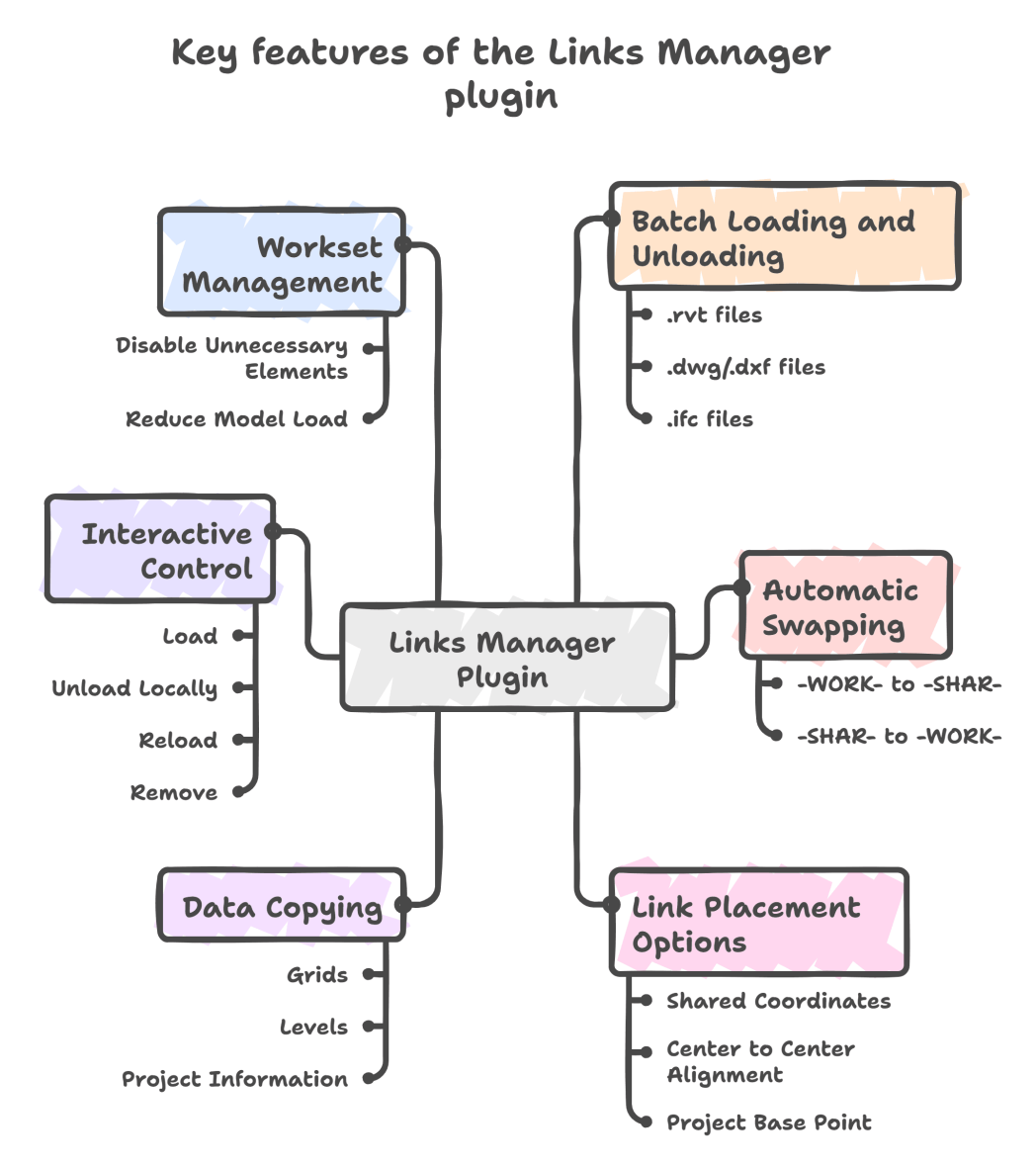
Links Manager is a versatile tool for efficient batch management of linked files in Revit. Widely used across all our projects, this plugin enables quick loading, unloading, updating, and removal of links in various formats, with flexible control over placement and workset configuration.
Key features:
- Batch loading and unloading of links (.rvt, .dwg/.dxf, .ifc);
- Automatic swapping of working models (-WORK-) to -SHAR- and vice versa;
- Several options for link placement (shared coordinates, center to center alignment, project base point, etc.);
- Copying grids, levels, and project information from linked files into the working model;
- Interactive control of link statuses (load, unload locally, reload, remove);
- Workset management to disable unnecessary elements, reducing model load;
- Copying project information from the master model – not only managing linked files’ batch loading but also effectively propagating critical project data from the master to specialists’ working models.
How the plugin works in Revit
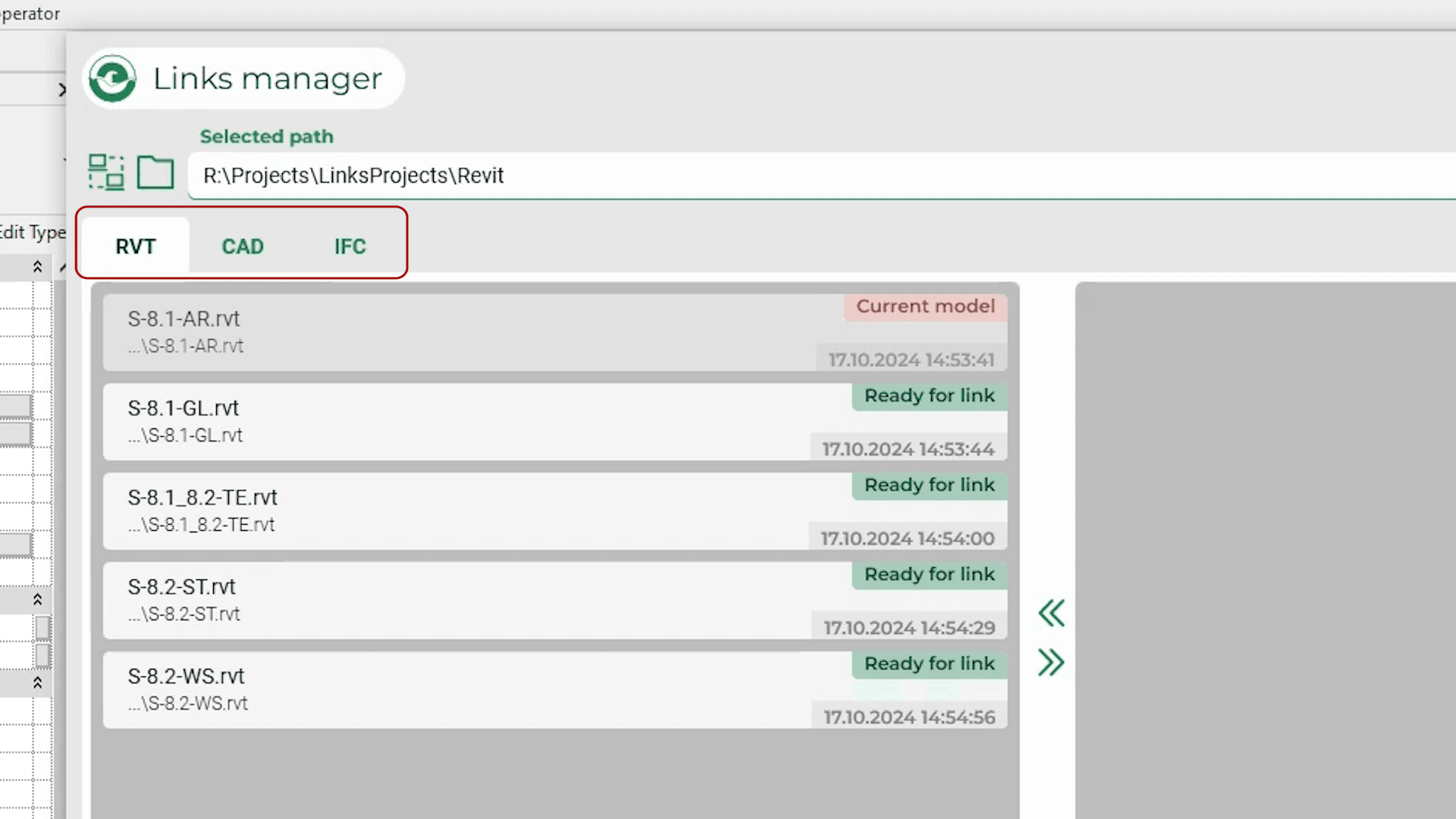
The plugin is integrated as a separate tab in the ENECA panel with three subsections for RVT, CAD, and IFC formats. Users specify a root folder for the files, which are automatically sorted into tabs by format. For batch loading, links are added to the current links area by double-clicking or using a transfer button. Users then select a placement method and launch the batch loading process with one click. Link status management (unload, remove, reload) is similarly performed with a single click.
Coordinate handling
Revit distinguishes between coordinate systems and the project site. The project site is a unified reference space where all models with different local coordinates are combined. The plugin checks if models belong to the same project site. If models are from different sites, it issues an error recommending contacting the coordinator. For models on the same project site, the plugin recalculates coordinates automatically and places the models at the correct distances, ensuring accuracy and consistency without manual adjustment. This significantly reduces manual positioning errors and maintains coordination across the entire project.
Workset management for load optimization
Corporate standards define clear naming and organization rules for worksets. All links loaded into the project must have worksets named with “LINK.” Manual link loading in Revit does not automatically create worksets, causing linked objects to be assigned to the active workset, necessitating manual redistribution. The Links Manager simplifies this by auto-creating a separate workset for each link with proper naming, saving time and improving project clarity. The plugin also supports automatically hiding worksets, which optimizes model loading and performance: hidden sets and their elements are not loaded into the workspace, reducing load and accelerating model responsiveness, making the interface faster and minimizing crash risks due to excessive data volume.
Civil IFC file support
Our specialists developed custom logic for loading Civil .ifc files, ensuring correct import and positioning. This increases the plugin’s versatility and supports diverse project types, including civil engineering.
Efficiency example
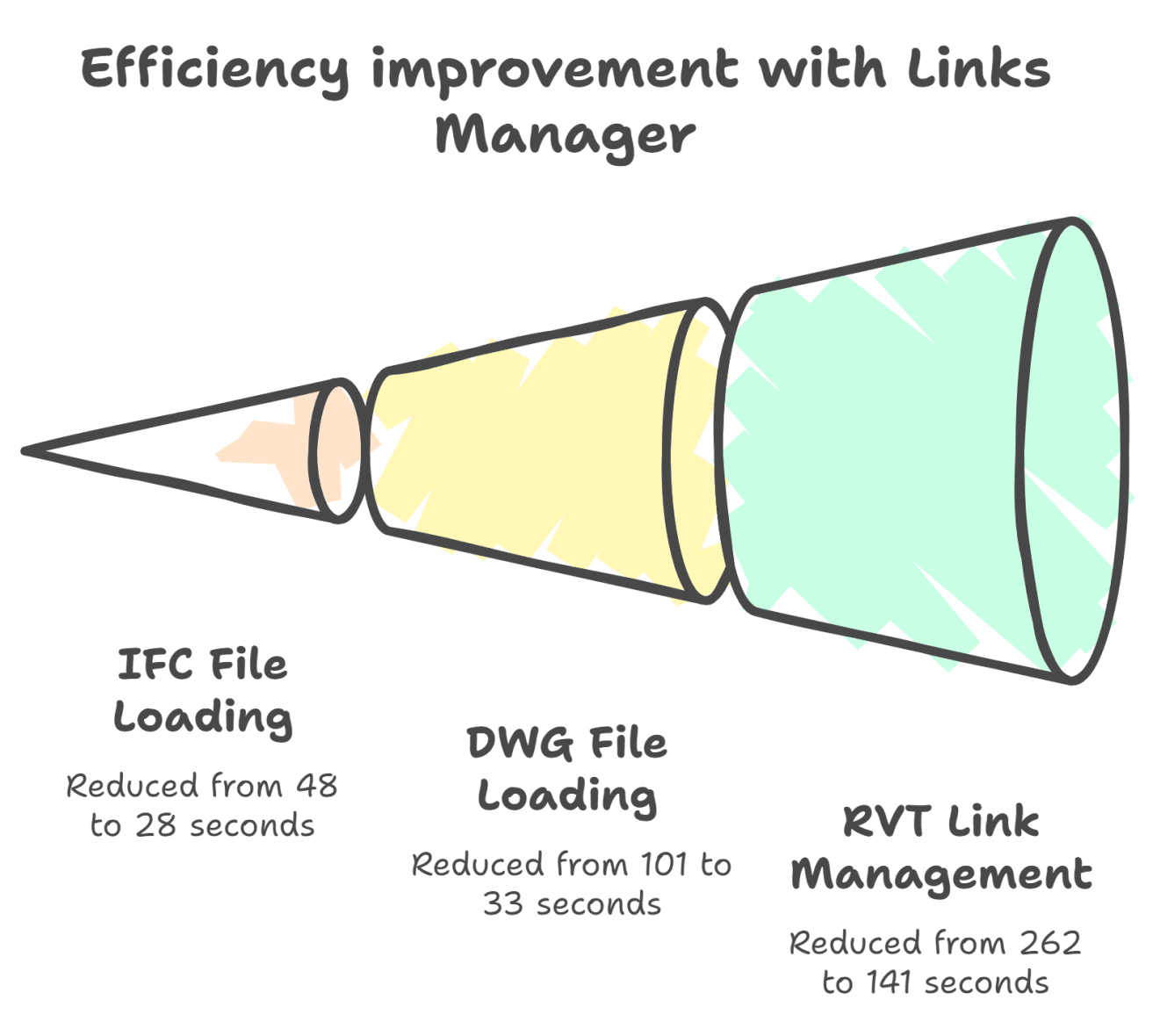
- Manual loading of five IFC files takes about 48 seconds, while Links Manager reduces this to 28 seconds – more than twice as fast.
- For five DWG files, time reduces from 1 minute 41 seconds to 33 seconds – nearly three times faster.
- Batch managing five RVT links cuts time from 4 minutes 22 seconds to 2 minutes 21 seconds – doubling the speed.
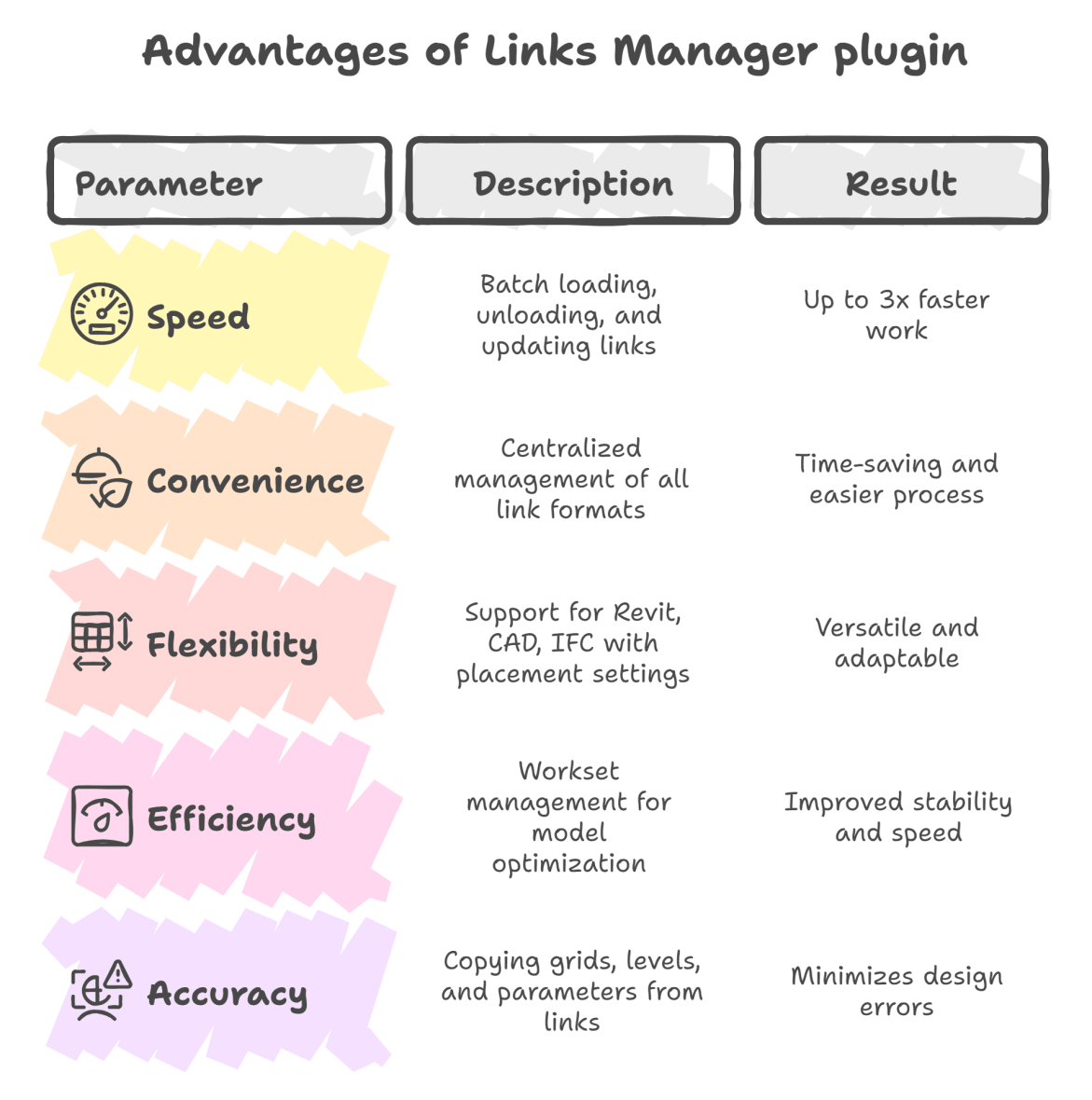
Advantages of Links Manager are clear across several key parameters:
Speed is significantly improved through batch loading, unloading, and updating of linked files, resulting in up to three times faster work.
Convenience comes from centralized management of all link formats, making the process easier and saving time.
Flexibility is provided by support for Revit, CAD, and IFC formats with various placement settings, making the tool versatile and adaptable to different project needs.
Efficiency is enhanced by workset management that optimizes the model, leading to improved stability and faster performance.
Accuracy is increased by copying grids, levels, and parameters from linked files, which helps minimize design errors.
Key results
Links Manager greatly simplifies working with linked files in Revit. Actively used in all our projects, it enables faster, more stable, and more efficient work with complex BIM models. The plugin ensures high-quality data control and coordination, making it an indispensable tool for modern BIM teams.