
Case Study: Ground Analyzer – Automating earthwork volume calculations
Background
The Ground Analyzer plugin was developed in 2024. It was initiated when there was a need to increase the level of detail in the BIM model while raising the LOD on the project, as well as to ensure more accurate calculations of excavation and backfill volumes by surface and by individual layers.
Specifically, our client encountered difficulties when analysing and planning earthworks. The lack of accurate data led to:
- Inefficiencies in material procurement;
- Inefficient use of machinery and equipment;
- Challenges in budget planning.
When developing the Master Plan section, it is often necessary to calculate the volumes of pavement in cut and fill areas. This is difficult to do using standard tools and takes a considerable amount of time.
Solution: Ground Analyzer
Working together with the client’s team, our IT specialists conducted an in-depth analysis of existing processes and developed the Ground Analyzer solution.
The plugin enables users to:
- Automatically model pavement layers from standard polyline contours based on existing and design surfaces;
- Calculate earthwork volumes (cut and fill);
- Create pavement layers (name, thickness, colour);
- Build pavement models based on the created layers;
- Save pavement models (3D solids) and calculation results to a separate Excel file;
- Create grids in drainage channels (additional functionality for high-LOD projects).
The pavement modelling workflow was fully implemented on our Odintsovo and Mirzo projects. On other projects, the plugin was used to calculate pavement volumes without creating full models.
How the Ground Analyzer plugin works
The plugin interface is simple and intuitive, consisting of two parts: the main data entry window and the side control menu.
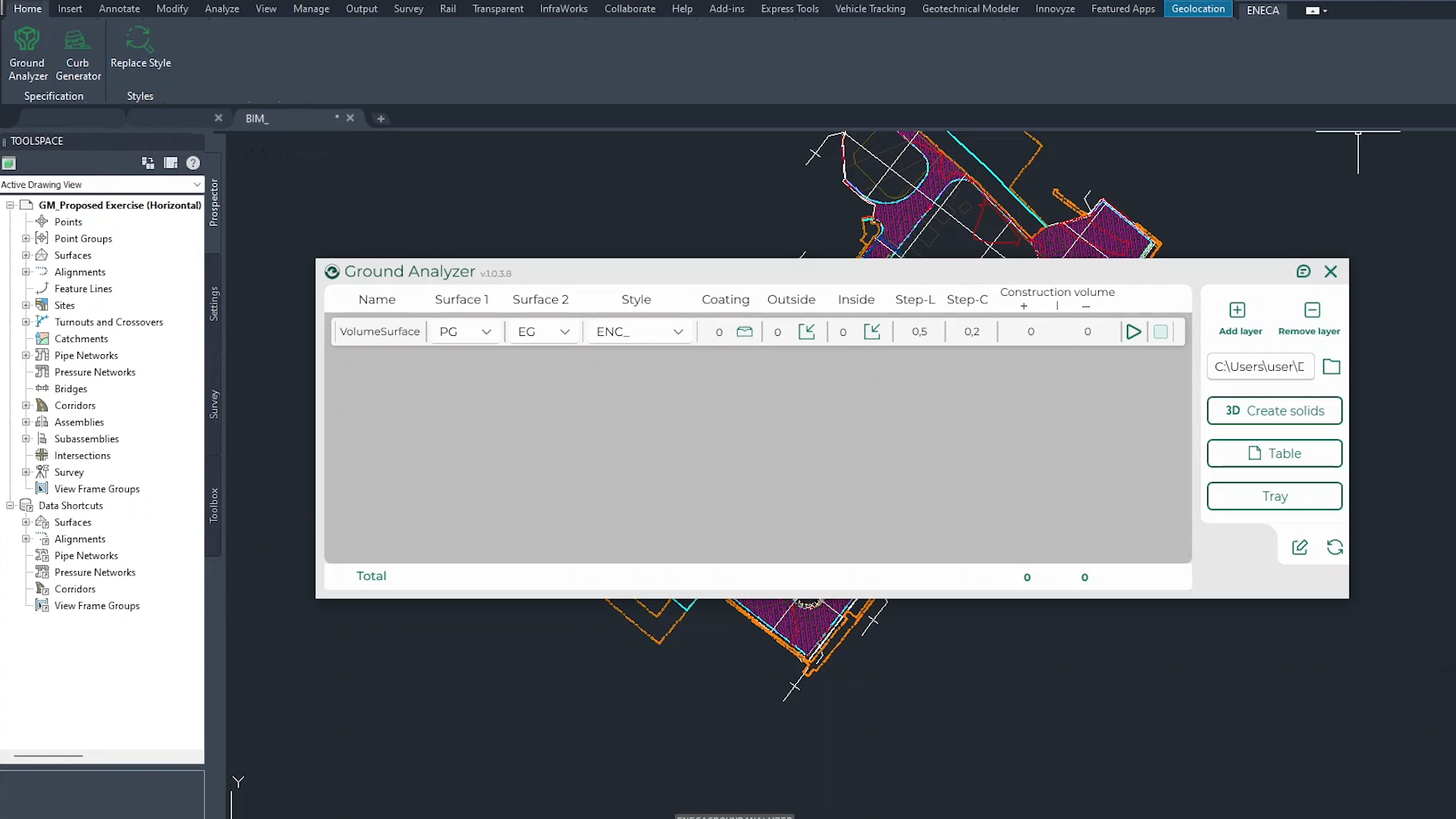
1.Main window (calculation and designer)
- Specify the pavement: Enter a name, select the existing and design surfaces, and choose a style from the list.
- Layer designer: Create or import road pavement layers (name, thickness, colour). Export templates for reuse.
- Specification: Fill in the structure type, schedule and notes.
- Select outer/inner contour (polyline or hatch).
- Calculation: Click “Perform calculation” to obtain cut and fill volumes by layer.
2.Side menu (result management)
- Add or delete layers;
- Set the file save path;
- Create 3D solids by pavement;
- Generate specifications on the view;
- Create a grid in the channel/tray;
- Update the data table;
- Export to Excel.
Results of using the plugin
Using Ground Analyzer, the client can:
- Calculate earthwork volumes (cut and fill);
- Create layers and road pavement structures;
- Build pavement models based on the created layers;
- Save pavement models (3D solids) and calculation results to Excel.
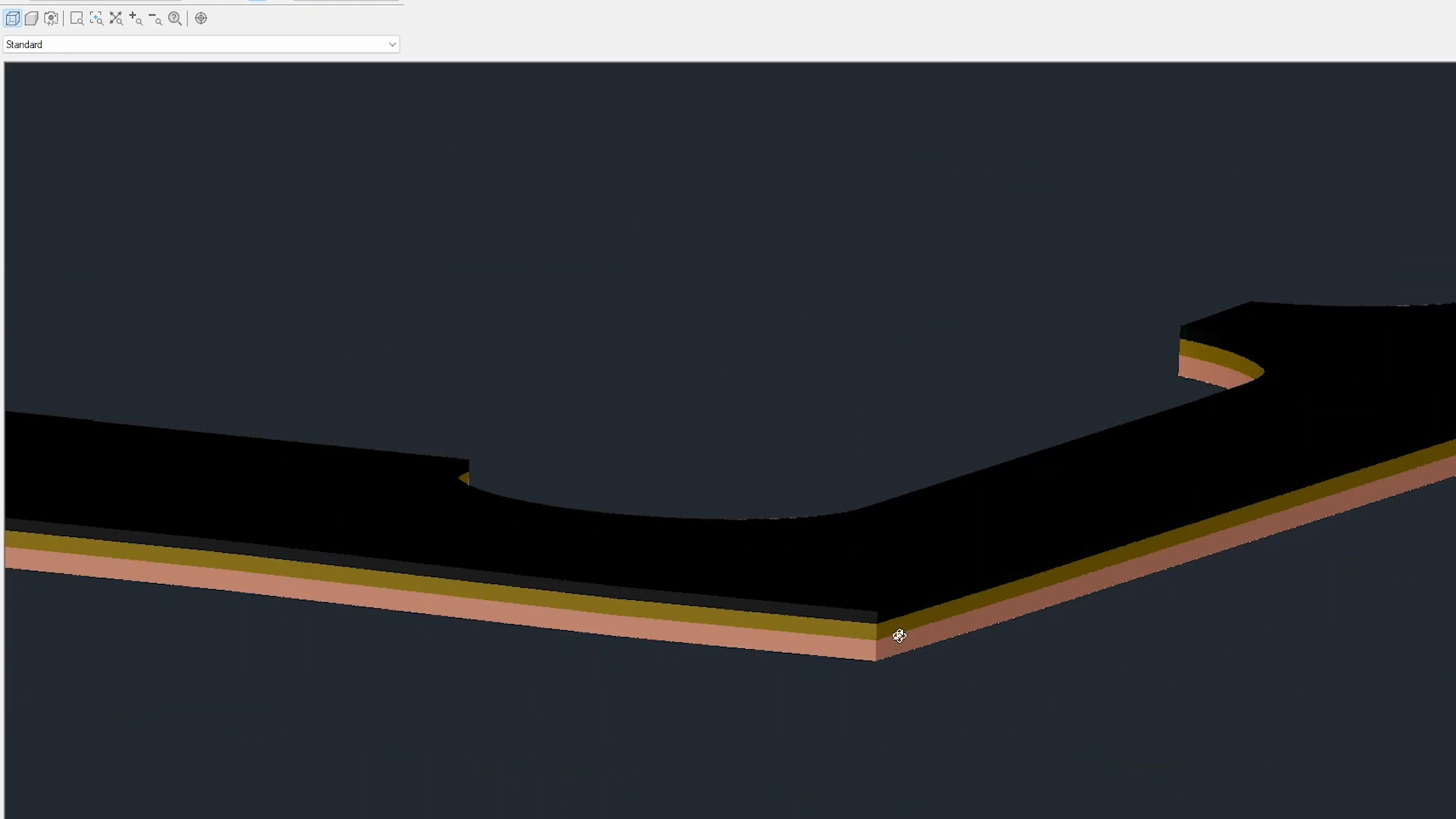 From a technical standpoint, the plugin has no significant limitations: performance is constrained only by the total area of pavements to be processed. Volumes are calculated based on the geometry of the existing and design surfaces, so accuracy depends entirely on the quality of their detailing.
The plugin is available for download via the Installation Manager – any Civil 3D user can install it and start working with it.
Key results:
- 20% reduction in material procurement costs thanks to optimised planning;
- 15% reduction in earthworks duration by eliminating downtime and procurement errors;
- Increased transparency of the construction process, enabling timely adjustments.